Agent structure
How the agent works through a request: plans, tasks, chains of thought and data parts.
Plan
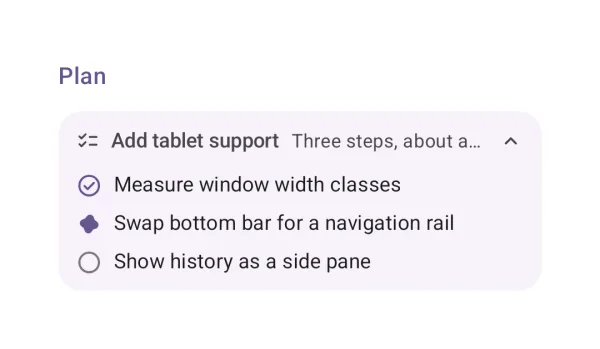
The agent's plan and the step it is on.
| API | Plan(title, description, steps) |
| AI Elements | Plan |
| Artifact | ai-elements-ui |
| Reference | Plan |
The caller owns step progress. Use COMPLETE/ACTIVE/PENDING; rendering a plan does not schedule or execute tasks.
import androidx.compose.runtime.Composable
import dev.ai.elements.ui.chat.Plan
import dev.ai.elements.ui.chat.StepStatus
import dev.ai.elements.ui.chat.WorkflowStep
@Composable
fun PlanExample() {
    Plan("Release", description = "Review before publishing", steps = listOf(WorkflowStep("Review", status = StepStatus.COMPLETE), WorkflowStep("Publish", status = StepStatus.PENDING)))
}
Task
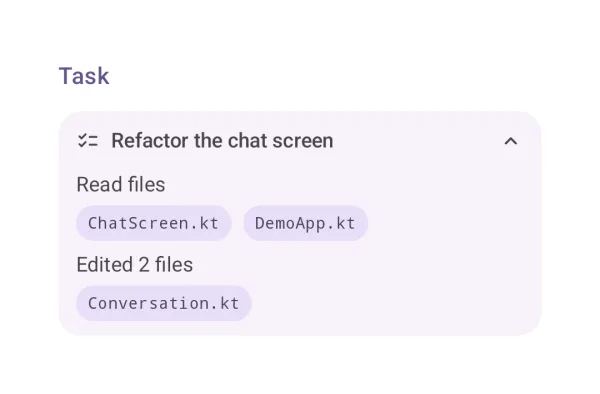
A task and the files it touched.
| API | Task(title, steps) |
| AI Elements | Task |
| Artifact | ai-elements-ui |
| Reference | Task |
items describe task progress and badges; the component does not change files.
import androidx.compose.runtime.Composable
import dev.ai.elements.ui.chat.Task
import dev.ai.elements.ui.chat.WorkflowStep
@Composable
fun TaskExample() {
    Task("Update docs", listOf(WorkflowStep("Write examples", badges = listOf("README.md"))))
}
Chain of thought
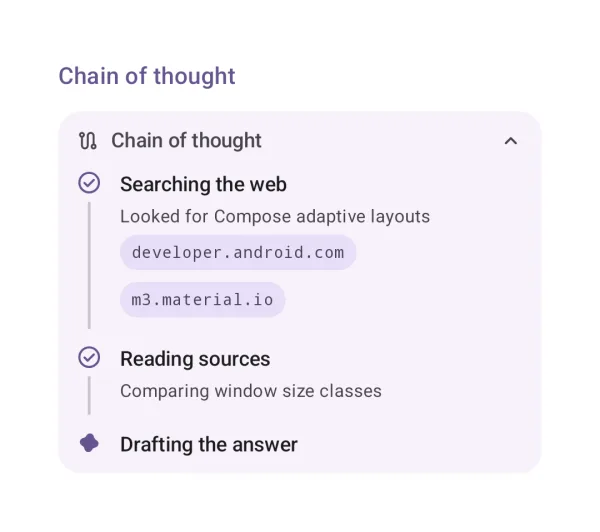
The steps of the agent's reasoning, with their sources.
| API | ChainOfThought(steps) |
| AI Elements | ChainOfThought |
| Artifact | ai-elements-ui |
| Reference | ChainOfThought |
Render available step summaries and sources. This component does not request or reveal reasoning from the model.
import androidx.compose.runtime.Composable
import dev.ai.elements.ui.chat.ChainOfThought
import dev.ai.elements.ui.chat.StepStatus
import dev.ai.elements.ui.chat.WorkflowStep
@Composable
fun ChainOfThoughtExample() {
    ChainOfThought(listOf(WorkflowStep("Read the documentation", status = StepStatus.COMPLETE)))
}
Data parts (data-plan, data-task)
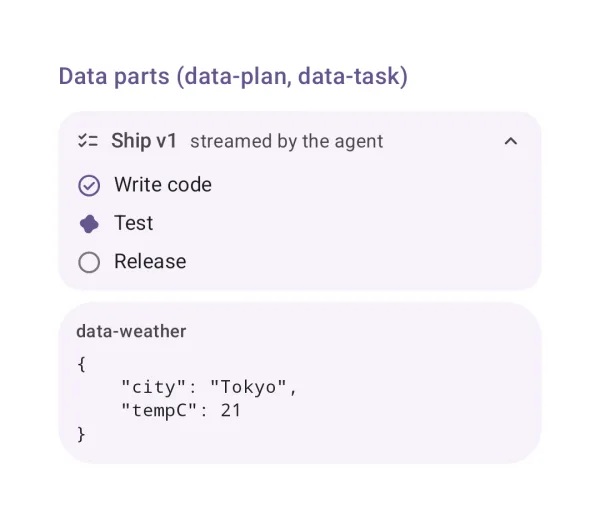
Custom data parts: known names render as elements, others as data.
| API | DataPartView(part) |
| Artifact | ai-elements-ui |
| Reference | DataPartView |
Known plan/task shapes render as elements; custom names can be registered in AiElementsRenderers.data. Unknown data remains visible as structured data.