Conversation
The chat itself: the message list, messages, the composer and what surrounds them.
Conversation
The scrolling message list: follows the stream, stops when you scroll up, jumps back to the latest.
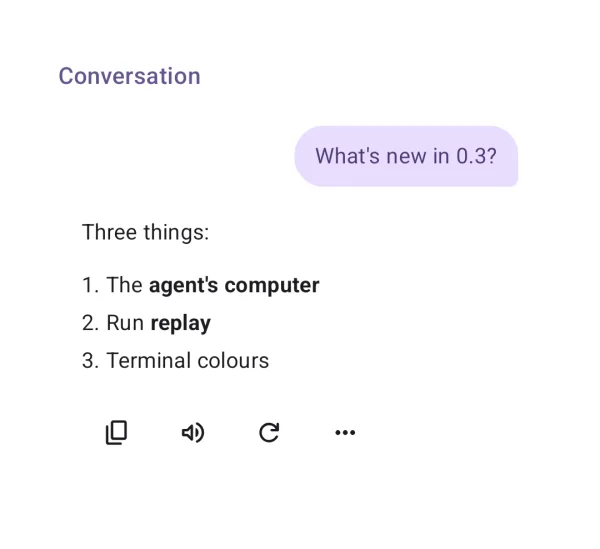
| API | Conversation(state, onRegenerate, onToolApproval, …) |
| AI Elements | Conversation |
| Artifact | ai-elements-ui |
| Reference | Conversation |
Keep the controller in a ViewModel. Conversation only renders the list; add PromptInput yourself or use Chat. Forward both approvals and forms.
import androidx.compose.runtime.Composable
import androidx.compose.runtime.getValue
import androidx.compose.runtime.setValue
import androidx.lifecycle.compose.collectAsStateWithLifecycle
import dev.ai.elements.core.chat.ChatController
import dev.ai.elements.ui.chat.Conversation
@Composable
fun ConversationExample(controller: ChatController) {
    val state by controller.state.collectAsStateWithLifecycle()
    Conversation(state, onToolDecision = controller::respondToApproval, onInputResponse = controller::respondToInput)
}
Messages
A user or assistant message with its parts and actions (copy, read aloud, regenerate, …).
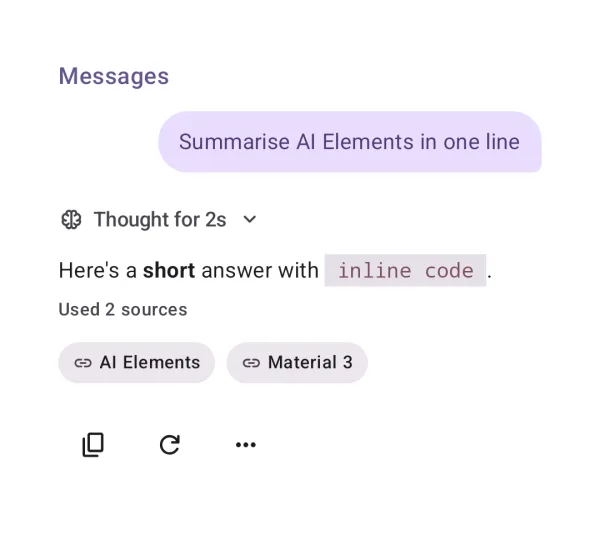
| API | MessageItem(message, onRegenerate) |
| AI Elements | Message |
| Artifact | ai-elements-ui |
| Reference | MessageItem |
Use for one message or a non-lazy layout. For long histories use Conversation, which virtualizes reply blocks.
import androidx.compose.runtime.Composable
import dev.ai.elements.core.chat.ChatController
import dev.ai.elements.core.model.Message
import dev.ai.elements.ui.chat.MessageItem
@Composable
fun MessagesExample(message: Message, controller: ChatController) {
    MessageItem(message, onToolDecision = controller::respondToApproval)
}
Prompt input
The composer: text, attachments, dictation, send and stop, queueing while the agent works.
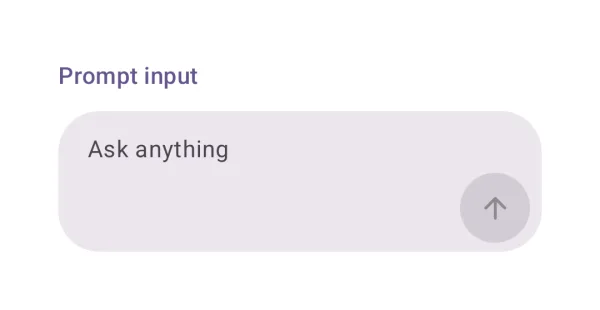
| API | PromptInput(value, onValueChange, onSubmit, onStop, busy) |
| AI Elements | PromptInput |
| Artifact | ai-elements-ui |
| Reference | PromptInput |
The caller owns text and attachments. Clear text only after send accepts it. Set allowQueue when the controller can queue prompts.
import androidx.compose.runtime.Composable
import androidx.compose.runtime.getValue
import androidx.compose.runtime.mutableStateOf
import androidx.compose.runtime.saveable.rememberSaveable
import androidx.compose.runtime.setValue
import androidx.lifecycle.compose.collectAsStateWithLifecycle
import dev.ai.elements.core.chat.ChatController
import dev.ai.elements.ui.chat.PromptInput
@Composable
fun PromptInputExample(controller: ChatController) {
    val state by controller.state.collectAsStateWithLifecycle()
    var text by rememberSaveable { mutableStateOf("") }
    PromptInput(text, { text = it }, { if (controller.send(text)) text = "" }, controller::stop, state.isBusy, allowQueue = true)
}
Suggestions
Tappable prompt suggestions.
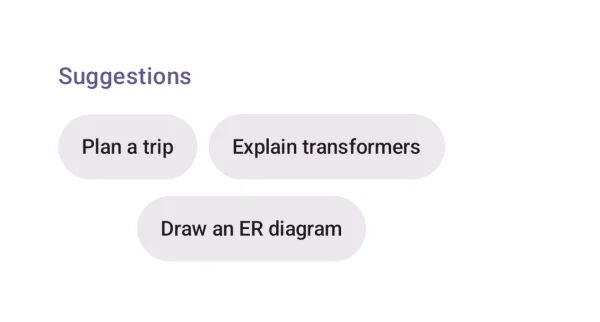
| API | Suggestions(suggestions, onSelect) |
| AI Elements | Suggestion |
| Artifact | ai-elements-ui |
| Reference | Suggestions |
Selecting a suggestion only invokes onSelect; the caller decides whether to fill the composer or send immediately.
import androidx.compose.runtime.Composable
import dev.ai.elements.core.chat.ChatController
import dev.ai.elements.core.model.Suggestion
import dev.ai.elements.ui.chat.Suggestions
@Composable
fun SuggestionsExample(controller: ChatController) {
    Suggestions(listOf(Suggestion("Explain this code")), onSelect = { controller.send(it.text) })
}
Empty state
The start of a conversation: a greeting and suggestions.
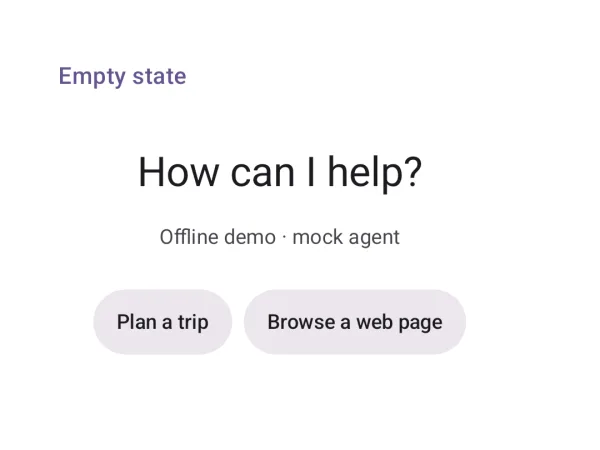
| API | ChatEmptyState(title, subtitle, suggestions, onSelect) |
| Artifact | ai-elements-ui |
| Reference | ChatEmptyState |
Show while history is empty. Set showHero=false in a short container.
import androidx.compose.runtime.Composable
import dev.ai.elements.core.chat.ChatController
import dev.ai.elements.core.model.Suggestion
import dev.ai.elements.ui.chat.ChatEmptyState
@Composable
fun EmptyStateExample(controller: ChatController) {
    ChatEmptyState("How can I help?", suggestions = listOf(Suggestion("Make a plan")), onSelect = { controller.send(it.text) })
}
Branch
Switch between regenerated versions of a reply.
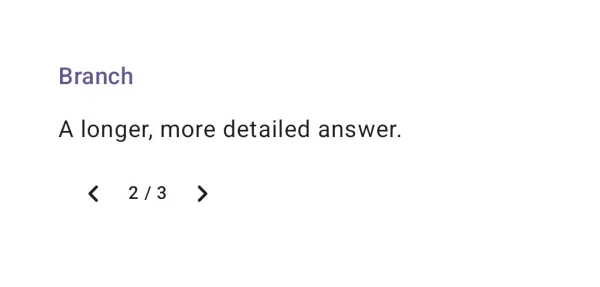
| API | BranchSelector(index, count, onSelect) |
| AI Elements | Branch |
| Artifact | ai-elements-ui |
| Reference | BranchSelector |
index is zero-based. The app must update the selected message; this control does not edit history.
import androidx.compose.runtime.Composable
import dev.ai.elements.core.chat.ChatController
import dev.ai.elements.core.model.Message
import dev.ai.elements.ui.chat.BranchSelector
@Composable
fun BranchExample(message: Message, controller: ChatController) {
    BranchSelector(message.versionIndex, message.versions.size, onSelect = { controller.selectVersion(message.id, it) })
}
Checkpoint
Restore the conversation to an earlier point, after confirming.

| API | Checkpoint(onRestore) |
| AI Elements | Checkpoint |
| Artifact | ai-elements-ui |
| Reference | Checkpoint |
The element confirms before calling onRestore. Restoring the controller changes conversation history, not files changed by past tools.
import androidx.compose.runtime.Composable
import dev.ai.elements.core.chat.ChatController
import dev.ai.elements.ui.chat.Checkpoint
@Composable
fun CheckpointExample(messageId: String, controller: ChatController) {
    Checkpoint(onRestore = { controller.restoreCheckpoint(messageId) })
}
Queue
Messages waiting to be sent while the agent is busy.
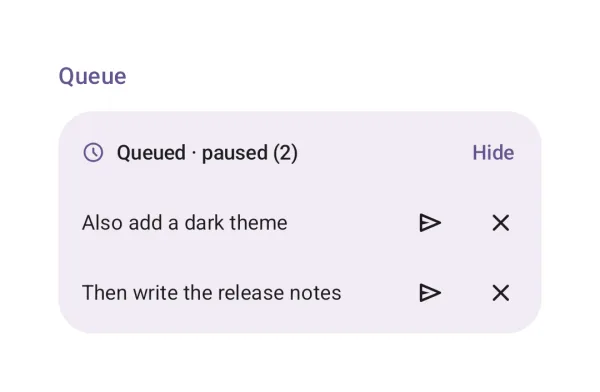
| API | Queue(items, paused, onRemove, onSendNow) |
| AI Elements | Queue |
| Artifact | ai-elements-ui |
| Reference | Queue |
The controller owns queue order. Stop or error pauses automatic sending; wire Send now to resume explicitly.
import androidx.compose.runtime.Composable
import androidx.compose.runtime.getValue
import androidx.compose.runtime.setValue
import androidx.lifecycle.compose.collectAsStateWithLifecycle
import dev.ai.elements.core.chat.ChatController
import dev.ai.elements.ui.chat.Queue
@Composable
fun QueueExample(controller: ChatController) {
    val state by controller.state.collectAsStateWithLifecycle()
    Queue(state.queue, paused = state.queuePaused, onRemove = { controller.removeQueued(it.id) }, onSendNow = { controller.sendQueuedNow(it.id) })
}
Open in chat
Continue a prompt in another chat app.

| API | OpenInChat(prompt) |
| AI Elements | OpenInChat |
| Artifact | ai-elements-ui |
| Reference | OpenInChat |
Opens the chosen external chat with the prompt in its URL. Let the user choose; do not pass hidden context or credentials.
Model selector
Pick a model, with its provider, capabilities and context window.

| API | ModelSelector(models, selectedId, onSelect) |
| AI Elements | ModelSelector |
| Artifact | ai-elements-ui |
| Reference | ModelSelector |
The selection is UI state only. Your backend factory must read it on the next turn; preserve the current controller/history.
import androidx.compose.runtime.Composable
import androidx.compose.runtime.getValue
import androidx.compose.runtime.mutableStateOf
import androidx.compose.runtime.saveable.rememberSaveable
import androidx.compose.runtime.setValue
import dev.ai.elements.ui.chat.ModelOption
import dev.ai.elements.ui.chat.ModelSelector
@Composable
fun ModelSelectorExample() {
    var selected by rememberSaveable { mutableStateOf("local") }
    ModelSelector(listOf(ModelOption("local", "Local model", "My provider")), selected, onSelect = { selected = it.id })
}
Context (token usage)
Tokens used by the conversation, against the model's context window.

| API | ContextUsage(usage, contextWindow) |
| AI Elements | Context |
| Artifact | ai-elements-ui |
| Reference | ContextUsage |
Pass measured token usage and the chosen model limit. This indicator does not tokenize messages or truncate history.
import androidx.compose.runtime.Composable
import dev.ai.elements.core.model.Usage
import dev.ai.elements.ui.chat.ContextUsage
@Composable
fun ContextExample() {
    ContextUsage(Usage(inputTokens = 1200, outputTokens = 300), contextWindow = 32000)
}
Loading indicators
Material 3 Expressive loading indicators while a reply starts.

| API | LoadingIndicator(), ContainedLoadingIndicator() |
| AI Elements | Loader |
| Artifact | ai-elements-ui |
| Reference | LoadingIndicator |
These are Material 3 components, exposed by the Material dependency. Use while waiting for initial output; opt in to ExperimentalMaterial3ExpressiveApi.
@OptIn(androidx.compose.material3.ExperimentalMaterial3ExpressiveApi::class)
@Composable
fun LoadingExample() {
    androidx.compose.material3.LoadingIndicator()
}
Shimmer
Text with a moving highlight, for work in progress.

| API | ShimmerText(text, active) |
| AI Elements | Shimmer |
| Artifact | ai-elements-ui |
| Reference | ShimmerText |
Set active=false when work ends. Prefer a plain status label for long messages.